
Back to all postsApple Watch
watchOS 27: 12 New Features to Explore on Your Apple Watch
John
Apple’s watchOS 27 update introduces a range of new features designed to enhance the Apple Watch experience. From an upgraded Siri experience and smarter fitness tools to improved navigation and personalized suggestions, the update focuses on making everyday interactions more convenient.
Released on September 14, 2026, watchOS 27 brings changes to fitness tracking, health monitoring, app navigation, and system performance. While some features are available across supported Apple Watch models, others are limited to newer devices.
Here are 12 notable watchOS 27 features worth exploring.
1. A Dedicated Siri App
One of the major changes in watchOS 27 is the introduction of a dedicated Siri app.
The app brings conversations together in one place, allowing users to start new interactions, revisit previous conversations, and pin important chats for quick access.
Conversations can also sync across Apple devices through iCloud, making it easier to continue an interaction started on an iPhone directly from the Apple Watch.
2. A New Siri Modular Watch Face
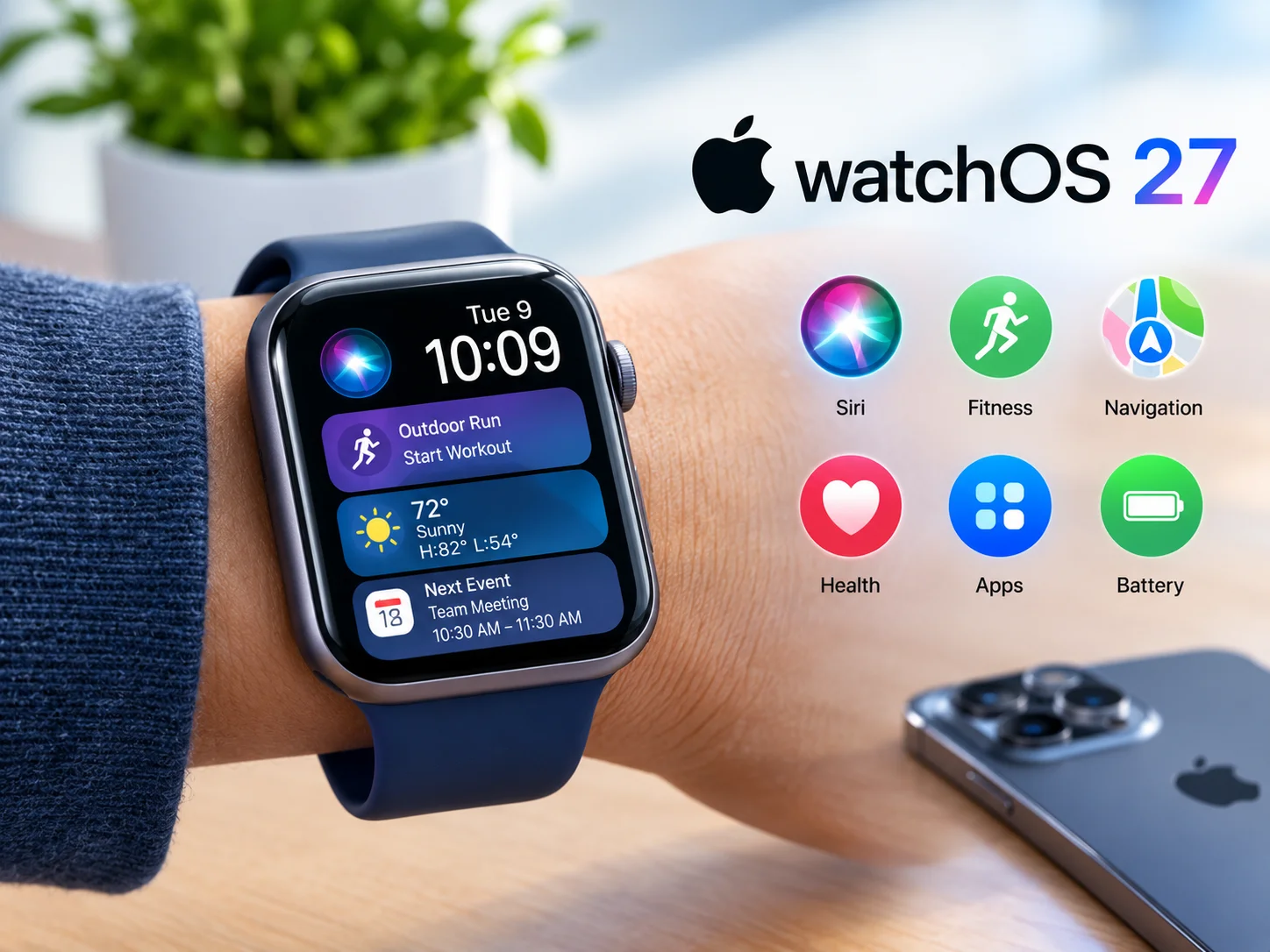
watchOS 27 introduces the Siri Modular watch face, which displays relevant information through the Smart Stack. Its rectangular complication updates throughout the day, highlighting useful widgets based on factors such as time and location.
Users can also add a Siri complication to access the assistant more quickly.
3. A Dynamic App Grid
The Apple Watch app interface receives a significant redesign with a dynamic app grid. Rather than relying entirely on the traditional honeycomb layout, the updated interface highlights suggested, frequently used, and recently opened applications.
The Siri app receives a prominent position, while users can still access an alphabetical list of installed apps.
4. A New Single-Tap Gesture
watchOS 27 introduces a new gesture designed to make navigating the Smart Stack easier. By tapping the index finger and thumb together once, users can select a highlighted widget without touching the display.
The gesture can be particularly useful when the other hand is occupied, such as while carrying a bag or holding a drink.
5. A Redesigned Find My App
Apple has brought Find Devices, Find People, and Find Items together in a unified Find My app. The redesigned interface features a map-centered layout that displays the locations of people, devices, and compatible items tracked through the Find My network.
The change is intended to make locating important belongings more convenient directly from the wrist.
6. Workout Buddy Gains More Independence
Workout Buddy receives additional improvements in watchOS 27. The feature can operate directly on a compatible Apple Watch when Wi-Fi or cellular connectivity is available, reducing its reliance on a nearby iPhone.
It also uses information from a user's workout history to deliver personalized motivational feedback. Workout Buddy supports English and Spanish.
7. New Cycle Tracking Notifications
Cycle Tracking receives additional support for users who may be experiencing perimenopause. For eligible users aged 40 and older, the Health app can provide notifications when recorded cycle patterns suggest possible signs of perimenopause. Users can also log related symptoms and access educational resources. These notifications are informational and are not intended to diagnose a medical condition or serve as a method of birth control.
8. More Accurate Treadmill Distance Tracking
Apple has improved indoor workout tracking with updated machine-learning motion algorithms. The changes are designed to improve distance estimates during treadmill walks and runs, including earlier stages of a workout.
Fitness route maps also receive accuracy improvements, helping users maintain more consistent workout records.
9. Smarter Smart Stack Suggestions
The Smart Stack becomes more proactive in watchOS 27, offering information based on users' activities and circumstances. Suggestions may include birthday reminders, the location of a parked car, and changes to a transit card balance.
These contextual updates are designed to make useful information available without requiring users to open individual apps.
10. Improved Step Tracking on Newer Models
Apple Watch Series 12 and Apple Watch Ultra 4 introduce an updated step-counting experience. The newer models feature a redesigned pedometer system and a dedicated Steps complication, allowing users to view their step count directly on the watch face.
Availability of these improvements depends on the Apple Watch model.
11. Faster Music Playback and Improved Responsiveness
watchOS 27 includes several refinements intended to improve everyday performance. Music playback starts faster, while interface adjustments aim to make navigation feel more responsive.
Apple has also refined the Liquid Glass design to improve readability and maintain visual consistency across the system.
12. Battery Optimization Suggestions
The update introduces more proactive battery optimization suggestions. When the system identifies opportunities to extend battery life, it may recommend adjusting certain features, including gestures, workout reminders, and the Raise to Speak function.
These suggestions give users additional ways to manage power consumption based on their usage habits.
How to Install watchOS 27
Apple Watch users with compatible devices can check for the update through the Watch app on their iPhone.
Follow these steps:
Open the Watch app on your iPhone.
Tap General.
Select Software Update.
Place your Apple Watch on its charger.
Follow the on-screen instructions to complete the installation.
Make sure your paired iPhone is running a compatible version of iOS before beginning the update.
Which Apple Watch Models Support watchOS 27?
The following Apple Watch models are listed as compatible with watchOS 27:
Apple Watch Series 9
Apple Watch Series 10
Apple Watch Series 11
Apple Watch Series 12
Apple Watch SE 3
Apple Watch Ultra 2
Apple Watch Ultra 3
Apple Watch Ultra 4
A compatible iPhone is also required. Some features may be limited by device model, region, or language.
Final Thoughts
watchOS 27 introduces a range of changes focused on Siri, fitness tracking, navigation, and everyday convenience. The dedicated Siri app, redesigned Find My experience, updated Smart Stack suggestions, and improved workout tracking are among the features that could make a noticeable difference in daily use. While supported older Apple Watch models receive several improvements, newer devices offer additional capabilities.
For Apple Watch owners, exploring these features can help make the most of the latest software experience.


